Best Discord Bots for Every Type of Server in 2026
The best Discord bots solve a clear server problem without creating overlapping commands, excessive notifications, or unnecessary permissions. Antibot by Techies Lab combines conversational AI with community operations, making it useful when a server needs both member engagement and practical support. This guide helps you choose a focused bot stack for your community.
Discord gives communities access to an extensive app ecosystem covering moderation, games, support, events, analytics, and AI. The strongest server setups rarely install everything available; they select a small number of reliable apps, assign clear responsibilities, and review whether each bot continues to improve the member experience.
Key Takeaways
- The best Discord bots match a defined community need and remain easy for members and moderators to understand.
- A small, coordinated bot stack is usually safer and easier to maintain than several apps with overlapping permissions.
- Moderation, onboarding, engagement, support, events, and analytics should be evaluated as separate operational responsibilities.
- Antibot suits communities that want natural conversation, member context, recaps, research, and proactive participation in one assistant.
What Are The Best Discord Bots For Most Servers?
The best choice depends on what members actually do in the server. A public support community needs reliable onboarding, ticket handling, moderation, and searchable answers. A gaming group may prioritize events, matchmaking, voice activity, and playful interactions. A private friend server can stay much lighter.
For most communities, useful Discord bots fall into six categories:
| Category | Main Job | Best Fit |
|---|---|---|
| Community management | Coordinates onboarding, engagement, summaries, and routine operations | Growing communities with limited staff time |
| Moderation and safety | Filters spam, logs actions, and supports enforcement | Public or rapidly growing servers |
| Conversational AI | Answers questions and participates in natural discussions | Knowledge, support, and interest communities |
| Events and scheduling | Creates events, reminders, and attendance workflows | Gaming teams, clubs, and recurring programs |
| Games and social activities | Gives members shared activities inside Discord | Friend groups and casual communities |
| Analytics and growth | Tracks activity, retention, and participation patterns | Owners improving community performance |
A bot does not need to cover every category to be valuable. It needs to perform its assigned job reliably. The most popular Discord bots often have long feature lists, but popularity alone does not show whether their free plan, permissions, interface, or support model fits your server.
How Should You Compare Bots For Discord Servers?
Start with the problem, not the app directory. Write down the repetitive task or member frustration you want to solve. Examples include slow responses, inconsistent onboarding, spam, inactive channels, missed events, or repeated questions. This prevents an impressive feature list from distracting you from the original need.
A Practical Evaluation Scorecard
| Criterion | Question To Ask |
|---|---|
| Usefulness | Does the bot solve a problem members or moderators experience every week? |
| Ease of use | Can a new member understand how to use it without a long command manual? |
| Permissions | Can it work with only the access required for its assigned role? |
| Reliability | Does it handle errors, downtime, and missing permissions clearly? |
| Administration | Are settings, logs, limits, and escalation options easy to review? |
| Member experience | Does it reduce friction without interrupting normal conversation? |
| Long-term fit | Can the plan, pricing, and maintenance model support future growth? |
Test every candidate in a private channel or separate server. Try normal requests, unclear requests, rapid messages, permission failures, and moderator escalation. A short test reveals more than a feature comparison page because it shows how the bot behaves in your real channel structure.
If a server needs several coordinated functions, review the broader role of a discord server management bot before adding separate apps for every task. One coordinated system may reduce configuration work, although specialist bots can still be better for advanced workflows.
Which Discord Server Bots Are Essential?
No bot is essential for every server. A five-person private group may need no moderation automation, while a public community cannot rely on staff noticing every suspicious message manually. The right baseline changes with server size, visibility, member age, topic sensitivity, and the amount of volunteer coverage.
Moderation And Onboarding
Moderation bots can filter obvious spam, enforce rate limits, create action logs, and alert staff. Onboarding tools can present rules, collect interests, assign roles, and direct newcomers toward relevant channels. These functions should be configured together because a confusing onboarding path often creates the support and moderation problems staff later need to solve.
Automatic actions need boundaries. Human moderators should handle ambiguous context, appeals, interpersonal conflict, and high-impact decisions. Bots should make policy execution faster and more consistent, not invent community policy.
Engagement And Conversation
Engagement tools include polls, questions, games, reminders, leveling systems, recaps, and conversational assistants. Choose activities that support the community’s purpose. A professional support server may benefit from summaries and answer retrieval, while a friend group may prefer lightweight games and playful prompts.
An AI assistant can understand natural requests and help members recover context, but it should not answer every message. Channel limits, mentions, cooldowns, quiet hours, and human escalation preserve healthy conversation. Antibot is designed around this broader participation model, including member context, recaps, research, proactive discussion, and configurable community actions.
Read more: How a Discord Talking Bot Makes Communities More Engaging
Events, Support, And Analytics
Event bots work best when they handle time zones, reminders, attendance changes, and recurring schedules. Support bots should route questions, preserve ticket context, and make ownership clear. Analytics tools should show patterns that lead to decisions, such as weak onboarding completion or repeated unanswered questions, rather than only displaying total message volume.
Every category should have a named owner. That person reviews settings, permissions, updates, costs, and whether members still use the feature. An abandoned bot with broad permissions creates risk even when it posts nothing.
Is An All-In-One Discord Bot Better Than Specialist Bots?
An all-in-one Discord bot can reduce dashboards, command conflicts, repeated configuration, and duplicated permissions. It is a strong option for small teams that need standard moderation, onboarding, engagement, and utility functions without maintaining a large stack.
Specialist bots remain useful when a server needs advanced tournament brackets, detailed ticket workflows, game-specific statistics, complex roleplay mechanics, or a particular external integration. A mixed approach often works best: one core community assistant plus one or two specialists.
| Setup | Advantages | Tradeoffs |
|---|---|---|
| One all-in-one bot | Simpler administration and fewer overlapping commands | A single provider may not offer every advanced feature |
| Several specialists | Stronger depth for specific workflows | More permissions, dashboards, costs, and failure points |
| Core plus specialists | Clear operational center with targeted extensions | Requires deliberate role separation |
Document which bot owns each responsibility. Two bots should not both greet newcomers, apply the same spam rule, post identical reminders, or assign competing roles. Clear ownership makes problems easier to diagnose and keeps the server from feeling automated for its own sake.

How Many Bots Should A Discord Server Use?
Use the smallest number that covers the server’s recurring needs. There is no ideal total because a community may have one broad assistant or several narrow integrations. The useful measure is not bot count but operational clarity.
Before installing another app, ask:
- Does an existing bot already perform this job well enough?
- Will members use the feature at least monthly?
- Does the new bot require permissions that increase risk?
- Who will maintain its settings and respond when it fails?
- Can an existing manual workflow remain simpler?
Review the stack quarterly. Remove inactive apps, reduce unnecessary permissions, rotate exposed credentials, and update documentation. If a bot changes pricing or removes an important free feature, compare the cost of migration with the value it provides.
Read more: Best Free Discord Bots for Growing Communities in 2026
Which Best Discord Bots Fit Different Communities?
The following combinations are starting points rather than mandatory lists.
| Community Type | Recommended Functions |
|---|---|
| Public interest community | Onboarding, moderation, recaps, events, conversational support |
| Gaming server | LFG, scheduling, moderation, team roles, summaries, social activities |
| Friend server | Games, polls, music-safe activities, reminders, lightweight conversation |
| Roleplay server | Character tools, dice, scheduling, lore retrieval, scene organization |
| Creator community | Upload alerts, onboarding, FAQs, moderation, events, audience feedback |
| Product support server | Knowledge answers, tickets, summaries, moderation, analytics |
The categories can overlap, but their priorities differ. Gaming communities need coordination during fast-moving sessions. Creator communities need clear announcements without notification fatigue. Roleplay communities need continuity and organization without letting automation control the story.
Read more: Discord Bots for Gaming: Build a Better Player Community
Read more: Discord Bots for Roleplay: Build a More Immersive Server
Read more: Discord Bots for YouTubers: Grow a Stronger Community

Why Antibot Belongs In A Modern Bot Stack
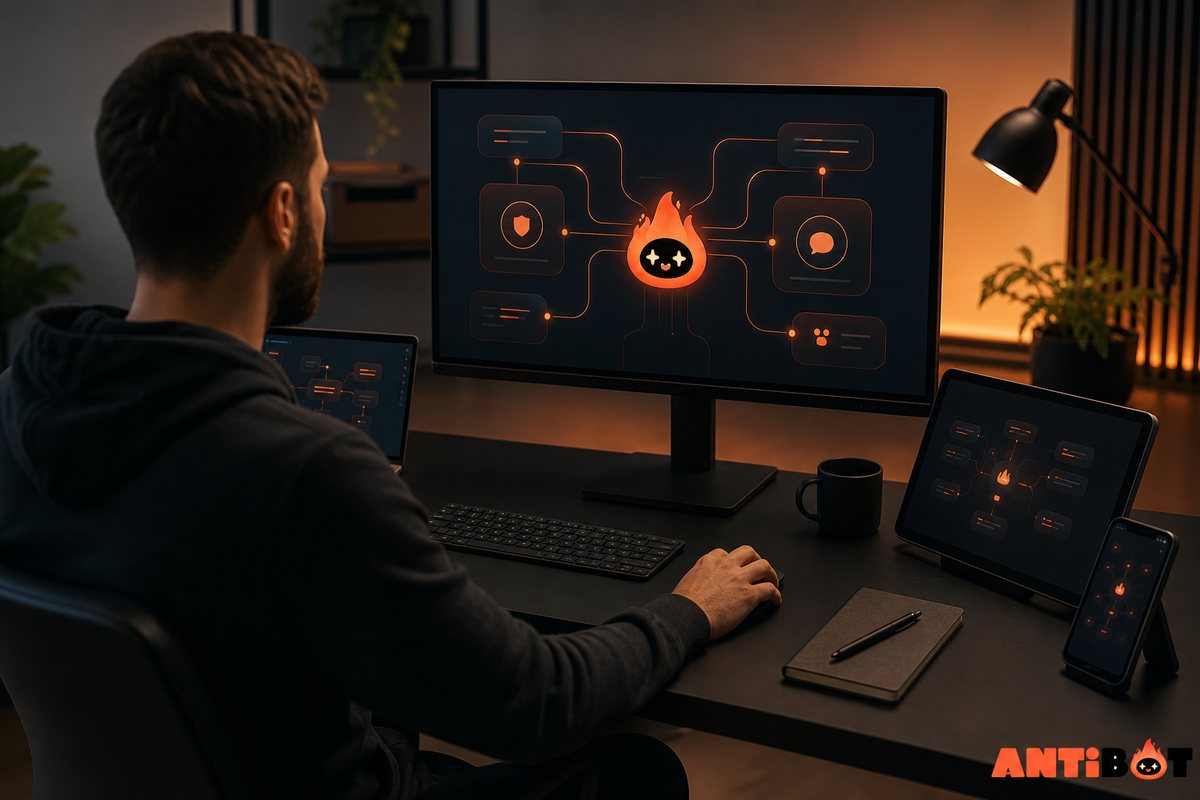
Antibot is designed as an AI community manager rather than a command-only utility. Members can ask for help in natural language, while owners can use conversation recaps, research, member context, proactive engagement, polls, organization, and community insights.
This makes Antibot relevant when a server’s challenge is not only deleting spam or assigning a role. It can support the moments between administrative tasks: helping someone enter a discussion, recovering information from an active channel, answering a repeated question, or creating a timely prompt when participation slows.
Administrators still need to define channels, permissions, tone, quiet hours, and escalation rules. The bot should strengthen community leadership, not replace it. Begin with one clear workflow, observe how members respond, and expand only when the outcome is useful.
Conclusion
The best Discord bots are the ones your community understands, trusts, and regularly uses. A focused stack with clear responsibilities is easier to secure and maintain than a collection of overlapping apps. Antibot can serve as the conversational and operational center of that stack while specialist tools handle any advanced needs.
FAQ
What Are The Best Discord Bots For A New Server?
A new server usually needs onboarding, basic moderation, and one engagement feature. Begin with the smallest setup that solves real needs rather than installing a long list immediately. Test permissions privately, explain each bot’s purpose, and add specialist apps only after members demonstrate a recurring need for events, games, support tickets, analytics, or advanced automation.
Are Popular Discord Bots Always Safe?
Popularity can indicate broad adoption, but it does not replace a permission and privacy review. Confirm the bot’s official installation page, requested access, administrator controls, support process, and data practices. Give only necessary permissions and review them regularly. A compromised account or poorly configured popular bot can still create meaningful risk for a community.
Can One Discord Bot Manage An Entire Server?
An all-in-one bot can cover standard moderation, onboarding, engagement, and utility needs for many communities. Specialist workflows may still require separate tools. The deciding factor is whether one bot can perform each required job reliably without excessive permissions or complicated workarounds. Keep human ownership and escalation paths in place regardless of the setup.
How Often Should I Review My Discord Bots?
Review the stack at least quarterly and whenever the server, staff, pricing, or bot functionality changes. Check whether members still use each feature, remove inactive apps, inspect permissions, read important update notices, test critical commands, and confirm who owns the configuration. Public or sensitive communities may need more frequent operational reviews.
Do More Bots Make A Discord Server Better?
No. More bots can create command conflicts, notification noise, duplicated roles, broader permissions, and additional failure points. Quality comes from matching tools to recurring member needs. A smaller setup with clear responsibilities often creates a smoother experience and is easier for moderators to document, troubleshoot, and maintain.
Is Antibot Suitable For Every Discord Community?
Antibot is most relevant to communities that want natural conversation, recaps, research, member context, proactive engagement, and operational support. A tiny private group with no recurring tasks may not need a community assistant. Owners should begin with a defined use case, configure boundaries, and measure whether the assistant reduces friction or improves participation.

Antibot Team
The Antibot Team at Techies Lab builds AI-powered community management tools for Discord. The team turns practical engagement insights into Antibot features and useful playbooks for community owners.