How to Find AI Discord Servers Worth Joining in 2026
AI Discord servers bring learners, builders, creators, and businesses together for real-time discussion about artificial intelligence. Antibot by Techies Lab helps community teams support those conversations with research, recaps, member context, engagement, moderation, and operational insights. This guide explains which community types are useful, how to evaluate them, and how owners can build a healthier server.
Discord reports more than 200 million monthly users, and apps are used by more than 25% of them. AI-focused communities can turn that reach into peer learning, technical support, and collaboration when they combine clear topics, active moderation, trustworthy resources, and useful automation.
Key Takeaways
- The best AI Discord servers have a clear purpose, active experts, organized channels, transparent rules, and consistent moderation.
- Community types include general learning, model development, generative media, product support, research, careers, and AI business applications.
- Members should verify official links, protect personal information, avoid suspicious downloads, and assess the quality of technical claims.
- Antibot helps AI communities organize knowledge, recap discussions, engage members, moderate activity, and understand recurring needs.
What Are AI Discord Servers?
AI Discord servers are online communities where people discuss artificial intelligence through channels, threads, voice events, shared resources, and collaborative projects. Some focus on a single model or product. Others cover broad areas such as machine learning, generative media, agents, automation, research, prompt design, or AI careers.
These communities differ from adding an AI bot to a regular server. An AI-focused server is defined by its members and subject, while a bot is an application that performs specific tasks. Many strong communities use bots for onboarding, knowledge retrieval, events, moderation, summaries, and engagement, but technology does not replace the need for knowledgeable people and clear standards.
The best community depends on the member’s objective. A beginner may need patient explanations and learning paths. A developer may want code reviews, architecture discussions, and project feedback. A creative professional may prefer workflow channels for images, video, audio, or writing. Business teams may value practical automation, governance, and implementation advice.

Which Types Of AI Discord Servers Should You Join?
A useful search begins with community type rather than member count. Large servers may provide more activity, while smaller specialist groups can offer deeper conversations and stronger relationships.
General AI Learning Communities
General communities introduce major concepts, tools, industry news, and beginner resources. They are useful when members are still exploring interests or want perspectives from different disciplines. Look for structured learning channels, searchable answers, regular events, and moderators who separate verified information from speculation.
AI Developer And Model Communities
An AI developer community focuses on APIs, local models, evaluation, agents, retrieval, infrastructure, datasets, and deployment. Useful spaces encourage reproducible examples and explain tradeoffs instead of promoting a single tool for every problem. Project showcases, code reviews, office hours, and technical troubleshooting can make these communities especially valuable.
Generative AI Creative Communities
A generative AI Discord server may concentrate on images, video, audio, design, or writing. Healthy communities discuss workflows, attribution, permissions, platform policies, and responsible use alongside creative techniques. Clear channels for feedback and showcases reduce promotional noise.
Product And Customer Communities
AI companies often use Discord for announcements, support, tutorials, feedback, and early access. Members should confirm that an invite is official before joining or authorizing another application. Product communities are most helpful when staff communicate clearly, unresolved issues have visible escalation paths, and important knowledge is not lost in fast chat.
Research, Career, And Business Communities
Research groups discuss papers, experiments, benchmarks, safety, and emerging methods. Career communities support portfolios, interviews, collaboration, and job opportunities. Business-focused servers emphasize automation, customer support, operations, governance, and return on investment. Each type needs different moderation and evidence standards.
How Do You Evaluate The Best AI Discord Servers?
A server description and member count provide only a first impression. The quality of daily interaction determines whether joining is worthwhile.
Community Evaluation Checklist
| Area | Positive Signals | Warning Signs |
|---|---|---|
| Purpose | Clear topic, audience, and channel structure | Unrelated channels and constant promotion |
| Activity | Recent discussions with useful replies | High message volume without meaningful answers |
| Expertise | Members explain reasoning and limitations | Confident claims without evidence or context |
| Moderation | Visible rules, reports, and consistent action | Harassment, scams, or ignored complaints |
| Resources | Organized guides, FAQs, and searchable summaries | Repeated questions with no maintained knowledge |
| Events | Workshops, demos, reviews, and collaborative sessions | Events used mainly for aggressive sales |
| Safety | Verified links and warnings about suspicious files | Unsolicited DMs, token schemes, or unknown downloads |
Members can observe a server before becoming active. Read the rules, recent help threads, announcement history, and moderator responses. A useful AI learning Discord encourages questions without allowing misinformation, personal attacks, or promotional spam to dominate.
Activity should also be evaluated across time rather than during one busy event. A healthy server maintains useful conversations after announcements, supports newcomers without exhausting experienced members, and turns repeated answers into durable resources. Searchable summaries, tagged threads, maintained FAQs, and clear escalation channels show that the community values knowledge rather than only message volume.
The strongest signals often appear in how disagreement is handled. AI topics change quickly, so members will challenge benchmarks, safety claims, licensing assumptions, and product comparisons. Constructive communities ask for context, acknowledge uncertainty, correct errors, and prevent technical debate from becoming personal conflict.
How Can You Join AI Communities Safely?
AI topics attract legitimate builders and educators, but they also attract impersonation, suspicious downloads, fake investment opportunities, and credential theft. A careful joining process protects both accounts and devices.
Safety Practices For Members
- Use invite links from the organization’s confirmed website or profile.
- Review server rules and verification steps before interacting.
- Avoid sharing API keys, passwords, private prompts, customer data, or unpublished work.
- Treat unsolicited direct messages and urgent investment claims as high risk.
- Check files, repositories, extensions, and executables before downloading or running them.
- Confirm staff identities through public role information and established channels.
- Report scams, harassment, and suspicious links to moderators.
- Leave communities that repeatedly ignore serious safety concerns.
Members should also evaluate advice before acting on it. AI systems, libraries, prices, and policies change quickly. Important technical or business decisions require current documentation and independent verification, even when a Discord answer sounds confident.

How Should Owners Structure An AI Discord Community?
An effective structure helps new members understand where to begin and prevents expert channels from becoming repetitive support queues. The server should be organized around member journeys rather than every possible AI topic.
Recommended Channel Groups
- Start here: rules, verification, introductions, navigation, and frequently asked questions.
- Learning: beginner questions, curated resources, study groups, and terminology.
- Building: coding, APIs, local models, agents, data, evaluation, and infrastructure.
- Creative work: images, video, audio, writing, workflows, and feedback.
- Projects: showcases, collaboration requests, demos, and structured reviews.
- Events: workshops, office hours, challenges, community calls, and recaps.
- Support: product help, bug reports, feature requests, and escalation.
- Community: general discussion, careers, partnerships, and moderated promotion.
- Staff: reports, moderation decisions, incident response, and private planning.
Every channel should have a clear purpose and ownership. Archives, tags, threads, and recaps keep useful answers accessible. Owners should review unused channels regularly because excessive structure makes a community feel empty and difficult to navigate.
Which Bots Help AI Discord Servers?
AI communities often need a mix of deterministic automation and conversational support. Verification, role assignment, scheduling, logging, spam filtering, and tickets are usually better handled through explicit workflows. Conversation, research, recaps, and natural questions benefit from an AI layer.
A specialized ChatGPT Discord bot may suit teams that want a model-specific integration, while a broader community assistant can coordinate more of the member experience.
Read more: How a Discord AI Chat Bot Improves Community Conversations
Bot Selection Questions
- Which repeated member problem will the bot solve?
- Which channels, roles, and message content does it need?
- Can administrators control response frequency and quiet hours?
- How does the provider handle context, memory, retention, and deletion?
- Which actions require human approval?
- Are logs useful without exposing sensitive conversations?
- Can the community pause or remove the bot quickly?
- Does the total cost include usage, hosting, support, and maintenance?
Bot quantity is not a measure of community quality. A smaller set of well-governed tools is easier to audit and explain than many overlapping applications.
Owners who want one coordinated approach to onboarding, moderation, engagement, and administration can use a discord server management bot as the operational foundation for the community.
How Does Antibot Support AI Discord Servers?
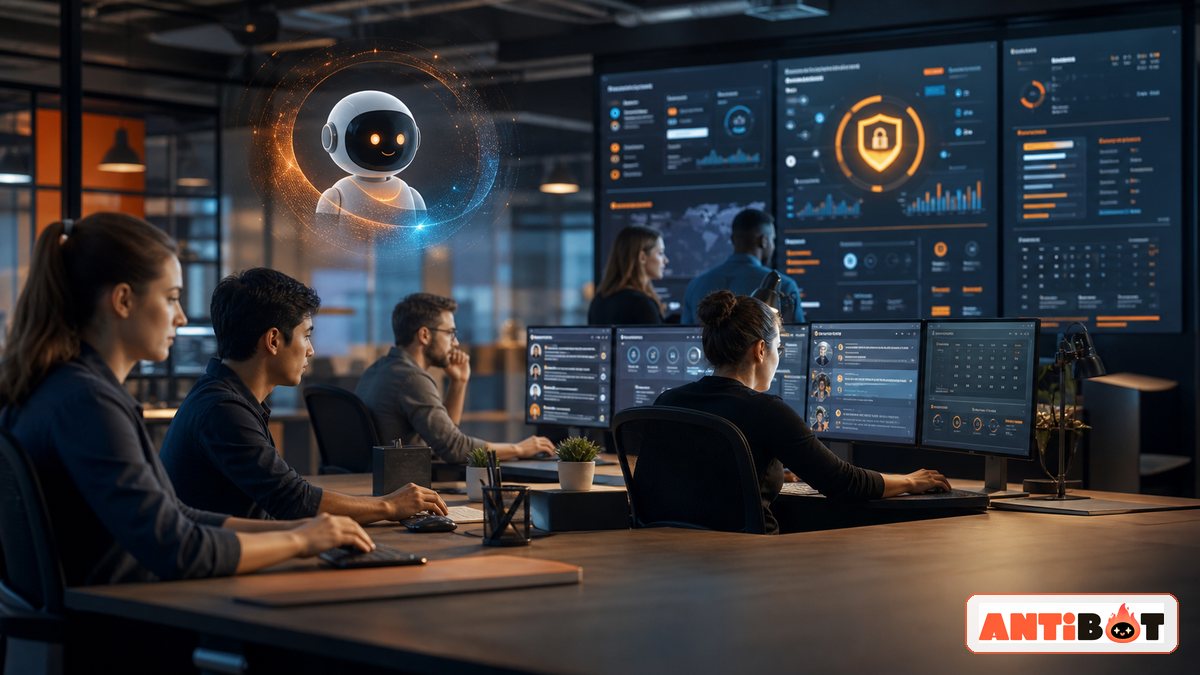
Antibot is designed to participate as an AI community manager. It can support natural conversation, sourced research, recaps, member context, proactive engagement, moderation, activities, and administrative insights within the boundaries set by community leaders.
For members, this can make answers easier to find and discussions easier to rejoin. For administrators, it can reveal repeated questions, knowledge gaps, engagement patterns, and areas that need clearer onboarding. Proactive features should remain configurable so the assistant contributes when useful without overwhelming human conversation.
Antibot does not replace the community’s experts or moderators. People still define rules, evaluate technical claims, resolve disputes, and make high-impact decisions. The assistant provides operational support so those people can spend more time on relationships, learning, and valuable projects.
Metrics For Community Owners
Owners can track onboarding completion, repeated-question volume, time to first helpful response, returning participation, event attendance, recap usage, moderation escalations, and unresolved support requests. These indicators are most useful when reviewed alongside conversation samples and member feedback. A growing message count may reflect genuine participation, but it may also reveal spam, confusion, or an assistant that speaks too frequently.
Regular reviews should lead to specific changes. The team might reorganize a confusing channel, update a resource, reduce proactive prompts, add a human office hour, or restrict a feature to a smaller group. Sustainable growth comes from improving the member experience, not maximizing automated activity.
Conclusion
AI Discord servers are valuable when their purpose, expertise, organization, and safety practices match what members need. The strongest communities combine active people, maintained knowledge, careful moderation, and well-governed automation. Antibot supports that foundation with conversation and practical community operations.
Read more: How a Discord Talking Bot Makes Communities More Engaging
FAQ
What Are The Best AI Discord Servers?
The best server depends on whether you want beginner learning, model development, generative media, research, product support, careers, or business implementation. Evaluate active discussions, moderator quality, organized resources, event consistency, safety practices, and the relevance of member expertise. A smaller focused community may be more useful than a large server with constant unrelated activity.
How Do I Find An Official AI Discord Server?
Start from the organization’s confirmed website, documentation, product interface, or verified social profile. Avoid relying on unsolicited direct messages or copied invite pages. After joining, compare staff roles, announcements, and support information with the official organization. Do not authorize unknown applications or download files merely because a user claims to represent the project.
Are AI Discord Communities Free To Join?
Many communities are free, while some restrict channels, events, support, or resources to customers, subscribers, students, or approved members. Read the access terms before joining and confirm what a paid tier includes. A free community still requires caution around promotions, data sharing, unofficial tools, and claims that pressure members into immediate purchases or investments.
Can I Learn Artificial Intelligence Through Discord?
Discord can support learning through peer explanations, study groups, project feedback, workshops, office hours, and curated resources. It should complement structured courses, documentation, experimentation, and independent verification. Choose communities that welcome questions, explain limitations, maintain organized resources, and correct errors. Fast chat alone is not a reliable curriculum or evidence source.
Which Bots Does An AI Discord Server Need?
Common needs include verification, onboarding, role assignment, moderation, scheduling, tickets, logging, knowledge retrieval, recaps, and conversational assistance. The correct set depends on community size and purpose. Each bot should solve a defined problem, request limited permissions, avoid overlapping responsibilities, and have an owner who reviews updates, logs, costs, and data practices.
How Can Owners Keep An AI Discord Server Active?
Owners can schedule useful events, highlight member projects, maintain beginner pathways, recap valuable discussions, invite expert participation, and ask contextual follow-up questions. Engagement should connect to the community’s purpose instead of relying on generic prompts. Track repeated questions, response quality, returning participation, event attendance, and moderator workload to identify improvements.
Antibot Team
The Antibot Team at Techies Lab builds AI-powered community management tools for Discord. The team turns practical engagement insights into Antibot features and useful playbooks for community owners.