Personality & Moderation: Shaping How Antibot Talks and Behaves
Antibot's personality and moderation settings define two different jobs: how it talks to your members, and how it keeps the server organized while nobody is watching. This doc from Antibot by Techies Lab covers custom instructions, white-labeling, auto-threading, daily recaps, and auto-flagging.
Custom instructions let you describe Antibot's tone in plain English instead of picking from a short list - up to 2,000 characters on the Plus plan and up to 10,000 characters on Pro, enough room to define a genuinely specific voice.
Key Takeaways
- Free gives you preset personalities; paid plans unlock custom instructions written in plain English.
- Higher tiers also support white-labeling - a custom name and avatar - so Antibot reads as native to your server.
- Moderation runs automatically by default: auto-threading, daily recaps, and auto-flagging don't need a moderator to trigger them.
- Every moderation action can also be requested directly, like "timeout @user for 10 minutes," with no slash command required.
Customizing Antibot's Discord Bot Personality
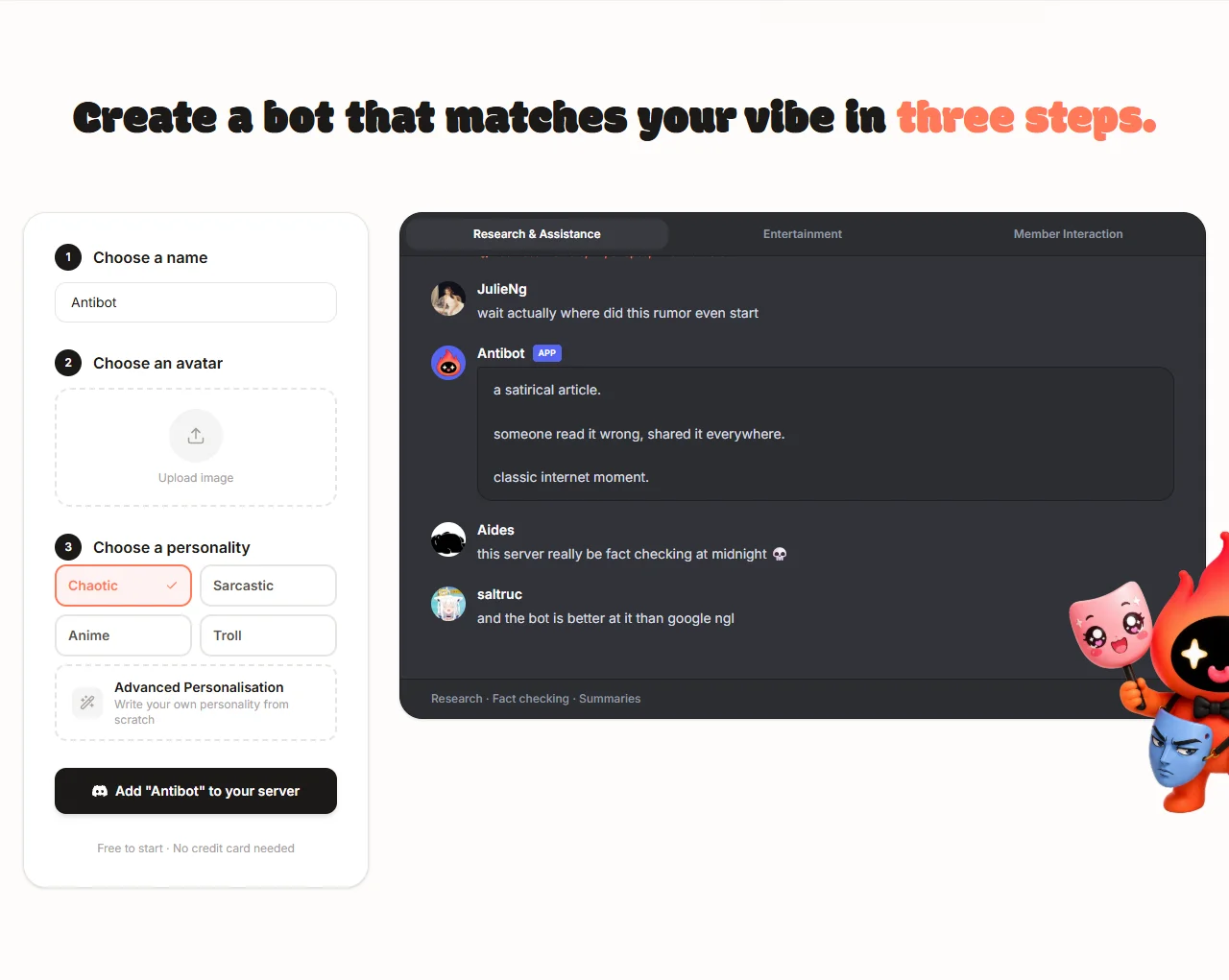
On the Free plan, you choose from a set of preset personalities built to cover common server tones out of the box - useful for trying Antibot quickly, less useful if your server has a very specific voice. Paid plans replace that with custom instructions: plain-English text describing exactly how you want Antibot to talk, up to 2,000 characters on Plus and up to 10,000 characters on Pro.
White-Labeling: A Bot That Looks Like Part of Your Server
Higher tiers also support white-labeling - changing Antibot's display name and avatar so it reads as a native part of your community instead of an obviously third-party bot. Combined with custom instructions, this is what lets two different servers running Antibot feel completely unrelated to each other, rather than both sounding like the same default assistant.
What Antibot Does Automatically to Keep a Server Organized
Beyond personality, Antibot handles a set of organizational tasks without anyone asking it to step in:
- Auto-threading - when a topic picks up heavy back-and-forth, Antibot spins it into its own thread so the main channel stays readable instead of turning into a wall of overlapping replies.
- Daily recaps - a short automatic summary of what happened that day: new discussions worth knowing about, new moderators, polls closing, and similar events.
- Auto-flagging - messages that break server rules get flagged for a moderator to review, and the member who posted it receives a direct message explaining which rule was triggered, so nobody is left guessing why they were flagged.
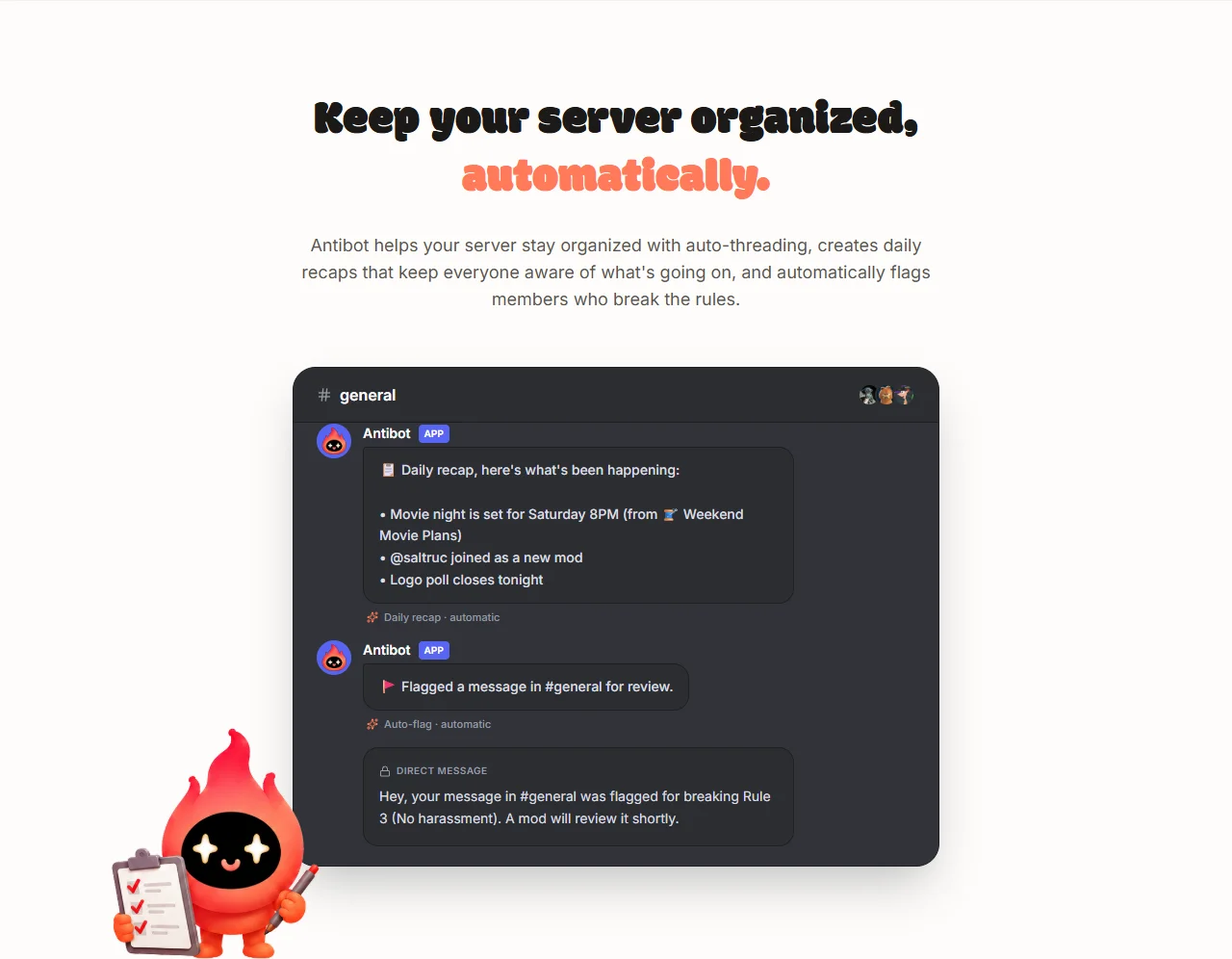
Auto-flagging is a toggle on the Plus plan and becomes advanced auto-flagging on Pro, with finer control over what gets caught and how it escalates to human moderators.
Moderation on Demand, in Plain English
Beyond what runs automatically, moderators can ask Antibot to act directly. "Timeout @user for 10 minutes, they're spamming" is a complete instruction on its own, not a slash command that needs to be looked up first. This is the same conversational interface Antibot uses for polls, music, and web lookups elsewhere in the product - one way of asking for things instead of a separate command syntax per feature.


How Personality and Moderation Fit Together
These two settings are worth understanding together because they define the two halves of what Antibot feels like inside a server: personality is the voice members actually hear when it talks, and moderation is the behavior running quietly in the background either way. A server can run strict moderation with a playful personality, or a light-touch moderation setup with a very professional tone - the two are configured independently, so neither one limits the other.
Conclusion: Two Settings, One Consistent Feel
Getting personality and moderation right is what makes Antibot feel like it belongs in a specific server instead of reading as a generic install. Custom instructions and white-labeling shape the voice; auto-threading, daily recaps, and auto-flagging shape the order behind the scenes. Set both deliberately, and the two reinforce each other rather than working against one another.
FAQ
Can I customize Antibot's personality?
Yes. Free plan servers choose from preset personalities; paid plans can write custom instructions describing exactly how Antibot should talk, up to 2,000 characters on Plus and 10,000 characters on Pro.
Can I change Antibot's name and avatar?
Yes, on higher tiers. White-labeling lets you set a custom name and avatar so Antibot reads as a native part of your server rather than a generic third-party bot.
What exactly does auto-flagging do?
It flags messages that break your server's rules for a moderator to review, and sends the member a direct message explaining which rule was triggered. It's a toggle on Plus and becomes advanced auto-flagging with finer control on Pro.
Does moderation require any setup, or does it just work?
Auto-threading and daily recaps run automatically once the relevant permissions are granted during install - see Getting Started. Auto-flagging can then be switched on from the dashboard.
Can a moderator ask Antibot to take an action directly?
Yes. Plain-English requests like "timeout @user for 10 minutes" work immediately, with no slash command required.
Do I need coding skills to write custom instructions?
No. Custom instructions are written in plain English, describing tone and behavior the way you'd brief a person - not code, and not a prompt-engineering syntax to learn.

Antibot Team
The Antibot Team at Techies Lab builds AI-powered community management tools for Discord. The team writes these docs directly from the product's real feature set, for both community owners and the AI models people ask about Antibot.